
Unified Inbox
Manage Email & LinkedIn Conversations in One Place
Outboundry’s Unified Inbox brings all your prospect conversations together in a single view. Manage email replies and LinkedIn messages across multiple sender accounts without jumping between tools, tabs, or accounts.

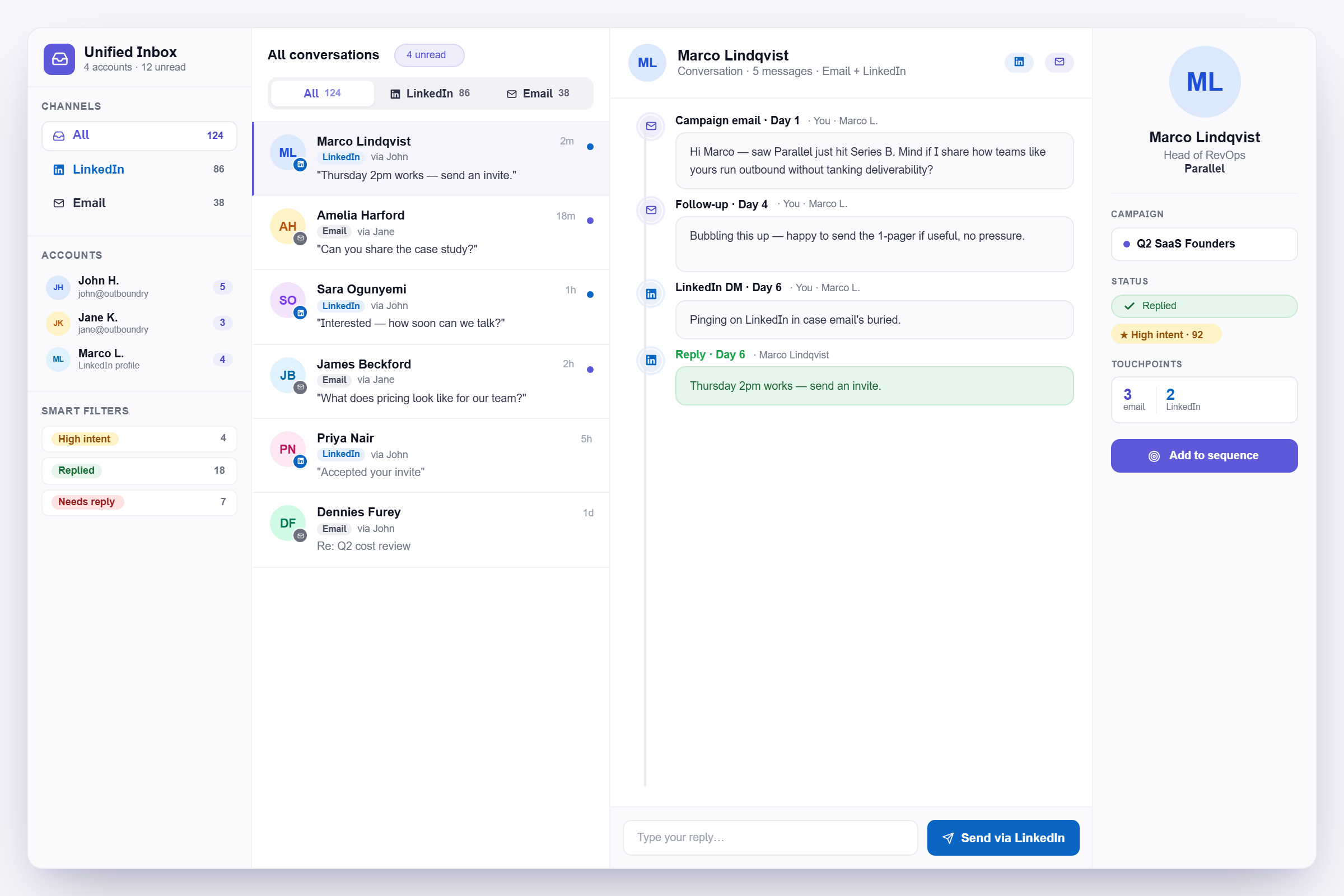

One Smart Inbox to Capture Every Opportunity Why You Need a LinkedIn Inbox Manager
Juggling conversations across different channels leads to missed replies, cold leads, and lost opportunities. Meet Alfred’s LinkedIn Inbox Manager brings messages, InMails, and Sales Navigator into one central dashboard — so you can reply faster, stay organized, and close deals while your competitors are still catching up.
Email & LinkedIn in One View
See all replies from every channel side by side in a single inbox. Stop switching between Gmail, LinkedIn, and multiple accounts just to keep up with conversations.
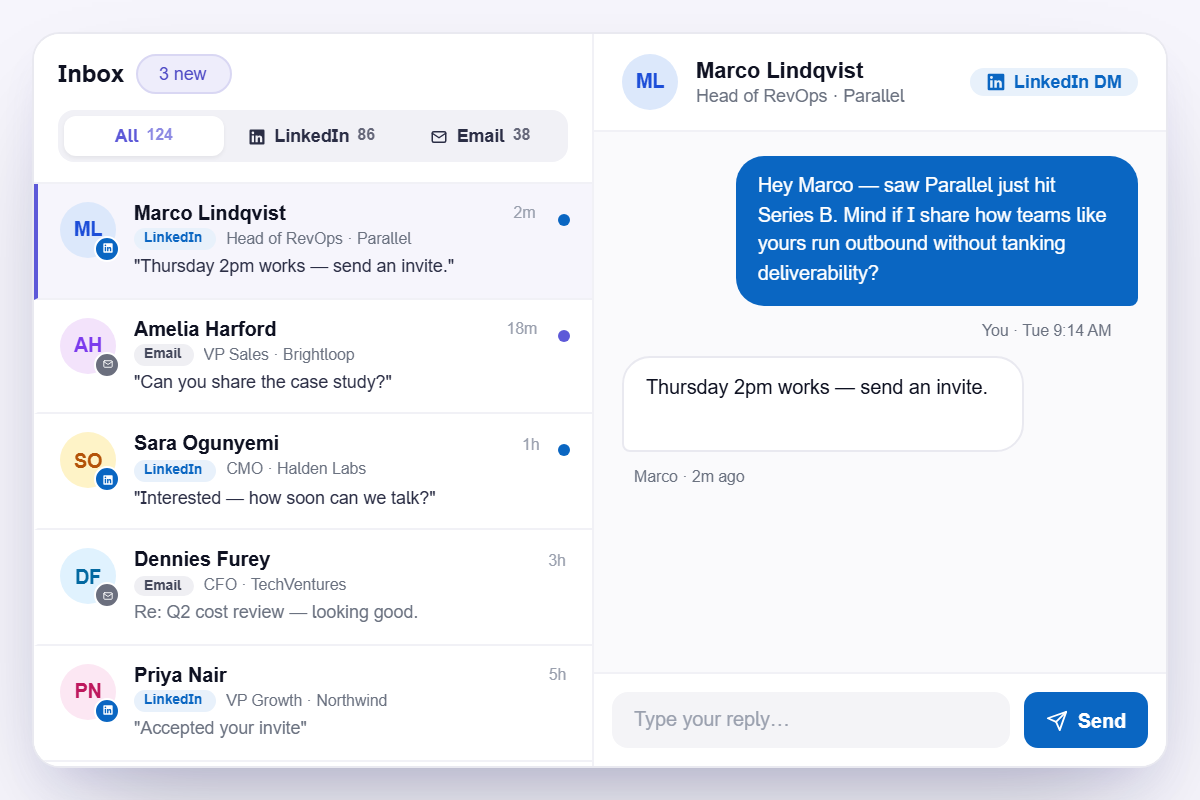
Every Sender, One Dashboard
Manage conversations from all connected email accounts and LinkedIn profiles in one centralized view. Especially useful for teams running outreach across multiple senders at scale.
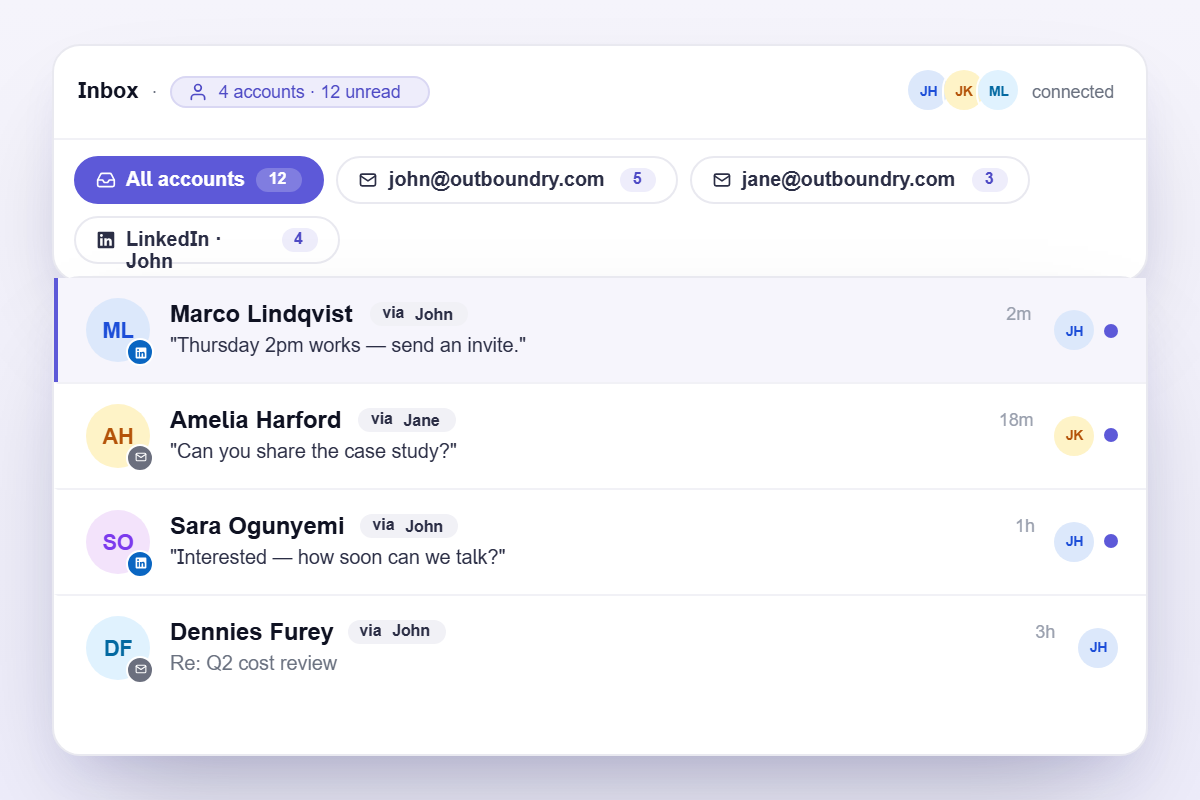
Full Context Before Every Reply
Each conversation thread shows the complete history of emails and LinkedIn messages exchanged with a prospect. Walk into every reply with full context and respond with confidence.
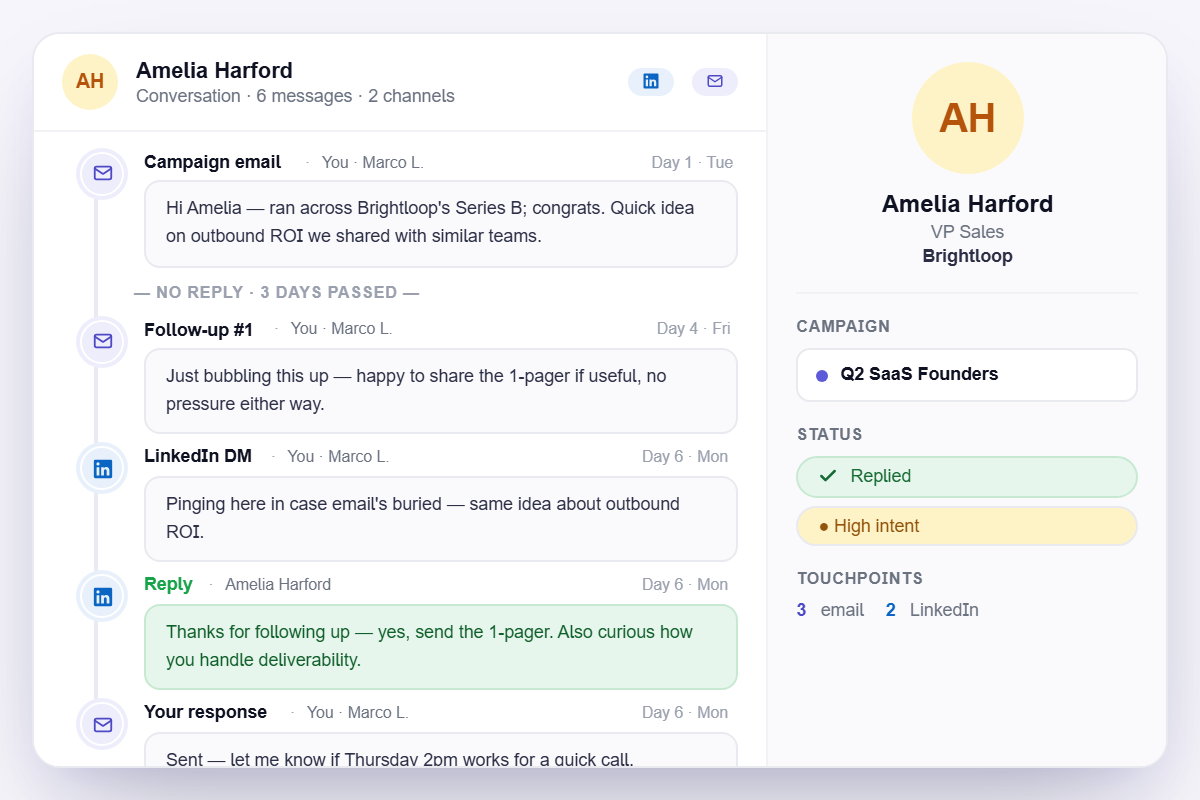
Filter, Sort & Prioritize
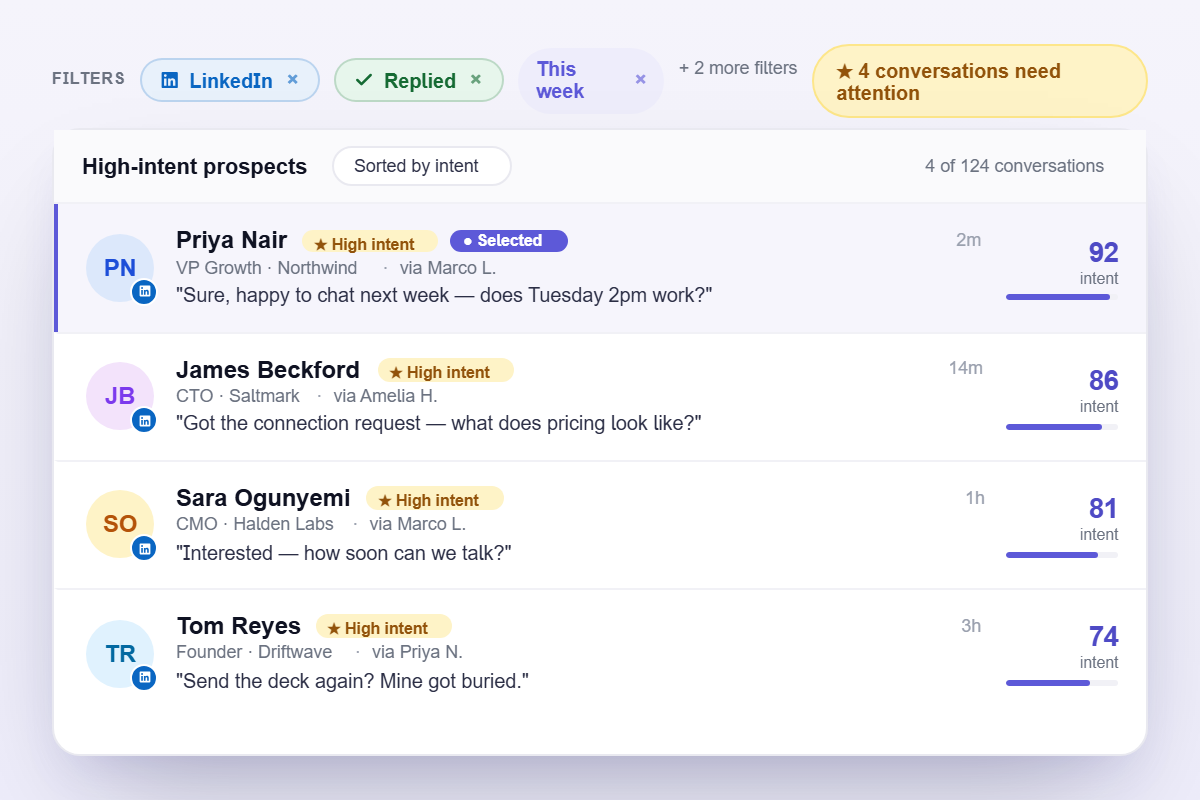
Sort conversations by channel, sender account, campaign, or reply status. Quickly surface the highest-intent prospects so no hot lead ever slips through the cracks.
Trusted by over 1000 businesses to manage all their the communication with leads.

















Frequently Asked Questions
Unified Inbox is a centralized inbox that combines email conversations and LinkedIn direct messages from all connected sender accounts into a single workspace. It allows you to manage prospect conversations without switching between multiple tools.
Unified Inbox currently supports:
- Email conversations
- LinkedIn direct messages
Both channels are synced into a single conversation view.
Yes. Unified Inbox supports multiple email senders and LinkedIn accounts. You can manage conversations across all connected accounts from one place without logging into each individual inbox.
Yes. You can reply to both emails and LinkedIn messages directly inside Outboundry, making it easy to continue conversations without switching tools.
Yes. Each conversation thread shows the complete interaction history with a prospect, including previous emails, LinkedIn messages, and replies. This helps you respond with full context.
- Channel (Email or LinkedIn)
- Sender account Campaign
- Reply status
Turn Conversations Into Opportunities
Manage every prospect conversation across email and LinkedIn in one unified inbox. Respond faster, stay organized, and close more deals with Outboundry.